Creating a comfortable and focused workspace is essential for productivity, especially if you spend long hours at your desk. Whether you work from home or in an office, a well-thought-out desk setup can help reduce fatigue, improve concentration, and even support your physical health. In this post, we’ll explore practical tips to design a desk area that promotes both focus and comfort.
Why Your Desk Setup Matters
Your workspace environment directly affects how well you work. An organized, ergonomic desk reduces distractions and physical strain, making it easier to concentrate and stay motivated. Conversely, cluttered or uncomfortable workspaces can lead to stress, poor posture, and decreased productivity.
Choose the Right Desk and Chair
Desk Height and Size
– Height: Aim for a desk height that allows your arms to rest comfortably at a 90-degree angle when typing or writing.
– Size: Your desk should be large enough to hold your essential gear (computer, notepad, etc.) without feeling cramped but not so big that items get lost or distracting.
Ergonomic Chair
– Look for a chair with adjustable height and lumbar support.
– Your feet should rest flat on the floor, and your knees should be at or slightly below hip level.
– A comfortable chair encourages good posture and reduces back pain.
Position Your Monitor Properly
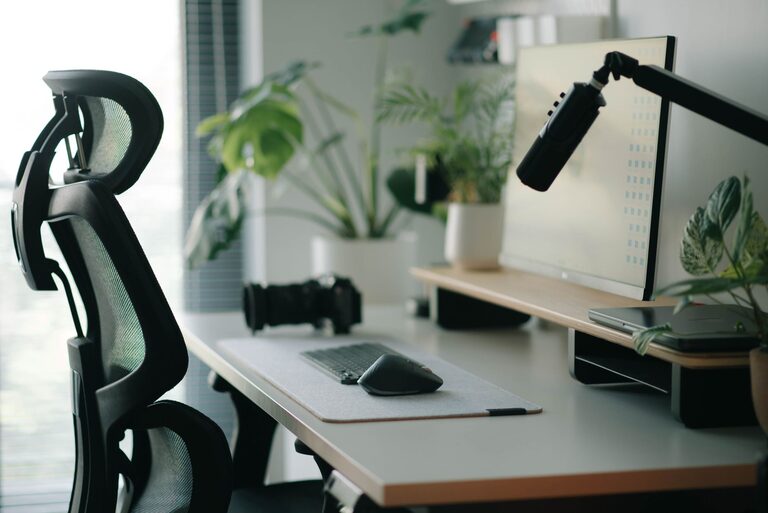
– Place your monitor about an arm’s length away.
– The top of the screen should be at or slightly below eye level to avoid neck strain.
– Use a monitor stand if necessary to achieve proper height.
Organize Your Desk for Efficiency
Keep Essentials Within Reach
– Place items you use frequently (pens, notebooks, phone) nearby.
– Store less-used objects in drawers or shelves to reduce clutter.
Use Desk Organizers
– Trays, pen holders, and cable organizers help keep the surface tidy.
– Clear desks help minimize distractions and improve focus.
Focus on Lighting
– Natural light is best — position your desk near a window if possible.
– Use a desk lamp with adjustable brightness and direction to reduce eye strain.
– Avoid glare on your screen by positioning lights and monitors carefully.
Incorporate Comfort-Enhancing Accessories
– Use a wrist rest to support your hands while typing.
– Consider a footrest if your feet don’t comfortably reach the floor.
– A soft mouse pad can reduce wrist fatigue.
Create a Pleasant Environment
– Add a small plant for a touch of nature and improved air quality.
– Keep your workspace clean and personalized to feel inviting but not cluttered.
– Use noise-canceling headphones or white noise machines if you need to block out distractions.
Take Breaks and Move
Even the best desk setup can’t prevent fatigue if you stay seated for hours on end. Schedule short breaks every hour to stand, stretch, or walk around. This helps maintain energy and reduces the risk of repetitive strain injuries.
Summary Checklist for Your Desk Setup
– Adjustable desk and ergonomic chair
– Monitor at eye level and arm’s length distance
– Organized workspace with essentials within reach
– Good lighting with minimal glare
– Comfort accessories like wrist and foot rests
– Personal touches like plants and clean surroundings
– Regular breaks to move and stretch
By paying attention to these details, you can create a workspace that supports your focus and comfort throughout the day. A thoughtful desk setup isn’t just about aesthetics—it’s a foundation for better work habits and a healthier work routine.